
Hello all!
I recently participated in this year’s Shellhacks! My team and I built a video game for the Oculus Quest 2 in 36 hours using the Unreal 5 engine.
The game is called Fright Light, and is designed for one VR player and two PC players. Check it out on our devpage!

What Is Shellhacks?
Shellhacks is a Miami convention for college students and early grads in the software programming industry. The programmers form teams and spend 36 hours designing and developing a working product.
The event is also a career faire. Companies looking for software development talent will sponsor the event, each having their own unique challenges and prizes that the developers can apply for.
My team didn’t apply to those sponsor challenges. We were completely dedicated to learning how to use Unreal 5.
The Unreal 5 Engine
This is the game development engine we used to build the game. Its built on the C++ programming language, but I didn’t have to type any code myself.
I used the engine’s node-based programming and prolific menu drop-downs during the project.
The engine is primarily used to make big and detailed 3D landscapes, but it also has functionality for 2D games.
Game Dev Workflow
I was on art support for this project, so I did most of my initial work in Adobe Illustrator and Aftereffects.
I designed a mascot character for the project in Illustrator, then animated it in aftereffects.
Animating Tips:
- When importing illustrator files, make sure all the objects you want to animate are on different layers.
- Making pre-compositions is great if you only need to animate sections of the character differently. You’ll be able to switch out the precomps easily.
Flipbooks:
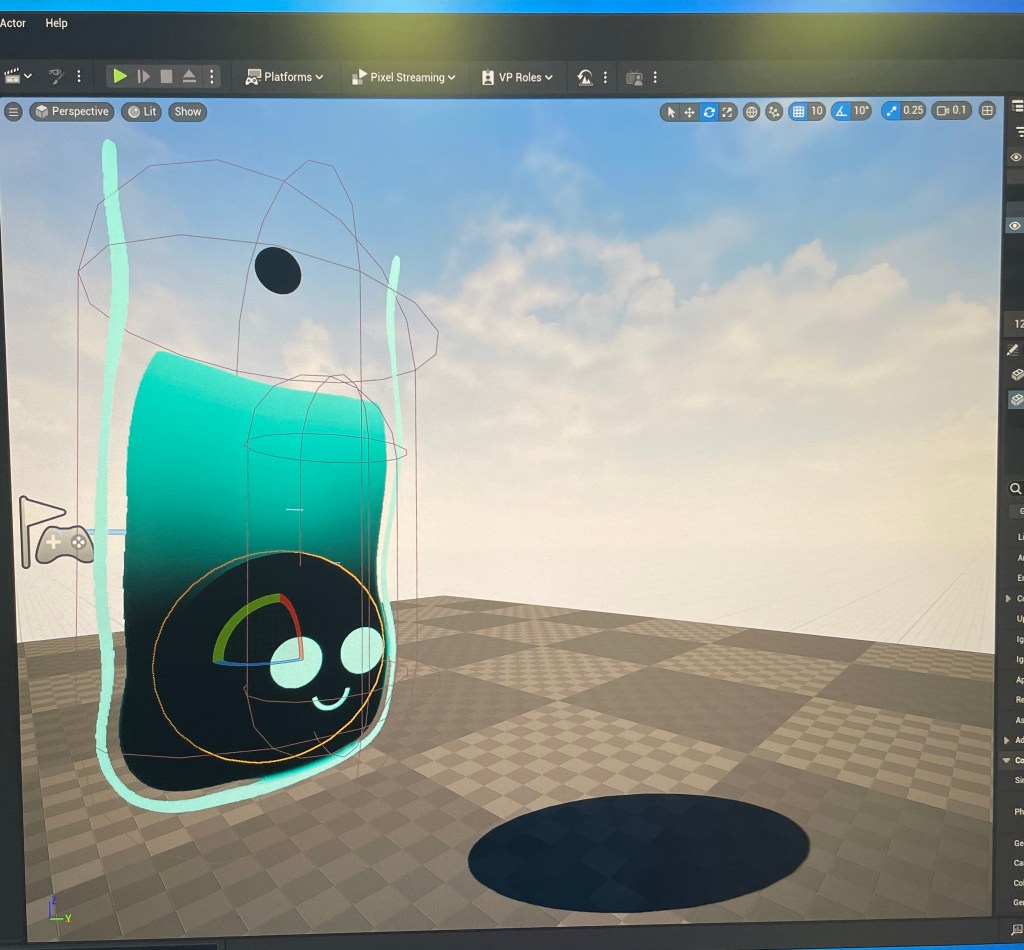
After building the animations, I imported the images into Unreal 5 as a sequence of PNGs.
The game engine treats imported images as textures for 3D models, but it has a “Paper 2D” function that you can use to transform them into sprites.
Once I made all my images into sprites, I condensed them into a Flipbook to reanimate the character.
Once the Flipbook was set up, I could place a Paper Actor into the 3D environment and then link the Flipbook into its settings.
That was the workflow! It worked well!
Future Improvements
In the future I’d like to learn how to use Blueprints.
Unreal 5 uses Blueprints to package characters, which makes it easier for you to edit them and move them from project to project without having to reconstruct them entirely.
If I can learn how to use them, I’ll be able to deliver my art to my programmer partners in a way that allows them to plug their scripts in easily.
I really enjoyed this Shellhacks experience! I got more experience with Illustrator and Aftereffects and saw my efforts contribute to a larger project! I won’t have another chance at Shellhacks, but I see many hackathons and game jams in my future.
’till next time!
 Everything Adrian
Leave a comment